pydeck

Widget for deck.gl maps

Apache License 2.0 40 个版本 Python >=3.8
Andrew Duberstein <ajduberstein@gmail.com>
安装
pip install pydeck
poetry add pydeck
pipenv install pydeck
conda install pydeck
描述

Binder Documentation Status Anaconda-Server Badge Downloads

pydeck: Large-scale interactive data visualization in Python

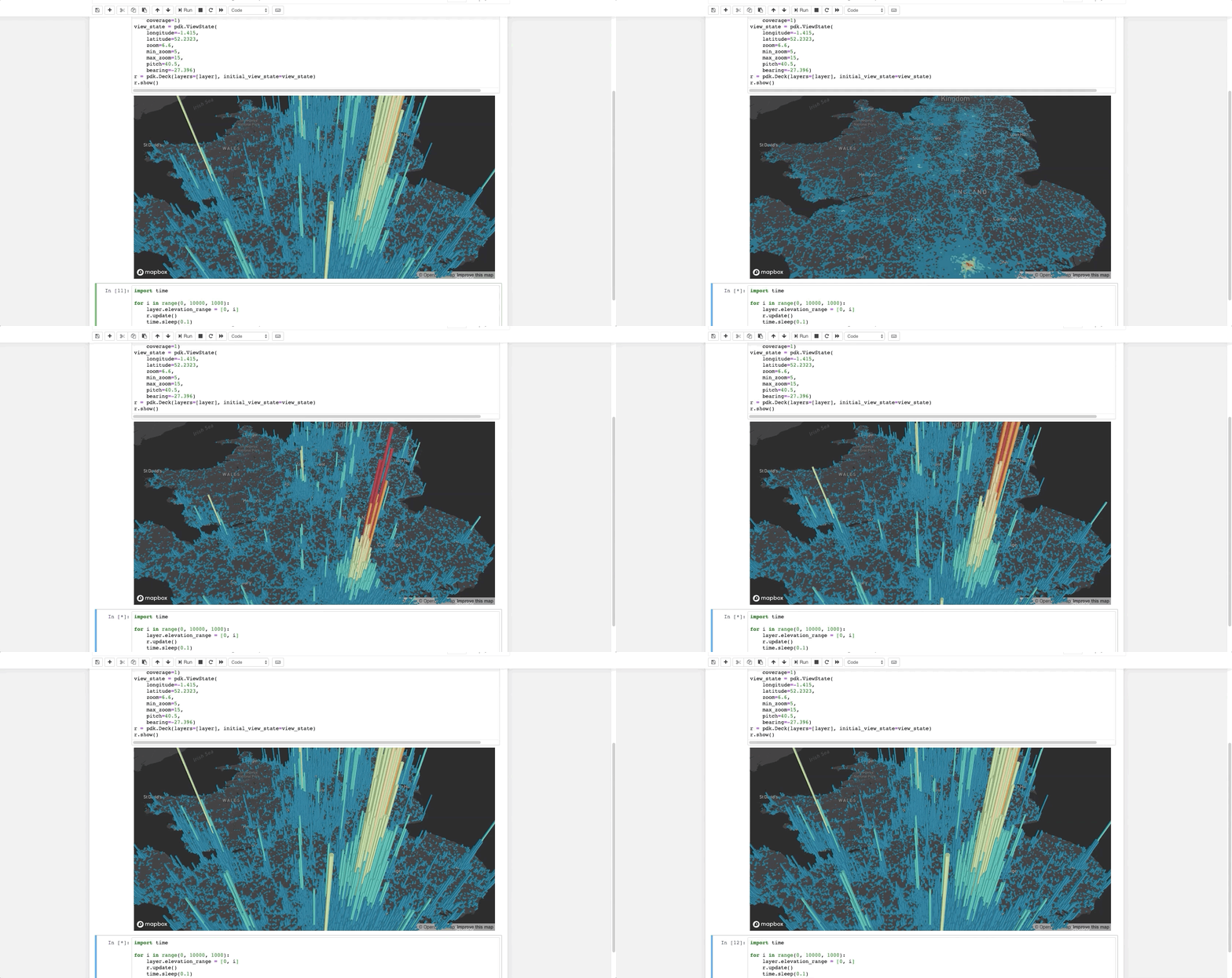
demo

The pydeck library is a set of Python bindings for making spatial visualizations with deck.gl, optimized for a Jupyter environment. To get started, see the documentation.

To install pydeck, see the instructions here.

For interactive demos, click the binder logo below:

Binder

Sample code

The following code renders a visualization similar to the one above in a Jupyter notebook:

import pydeck as pdk

# 2014 locations of car accidents in the UK
UK_ACCIDENTS_DATA = ('https://raw.githubusercontent.com/uber-common/'
                     'deck.gl-data/master/examples/3d-heatmap/heatmap-data.csv')

# Define a layer to display on a map
layer = pdk.Layer(
    'HexagonLayer',
    UK_ACCIDENTS_DATA,
    get_position=['lng', 'lat'],
    auto_highlight=True,
    elevation_scale=50,
    pickable=True,
    elevation_range=[0, 3000],
    extruded=True,                 
    coverage=1)

# Set the viewport location
view_state = pdk.ViewState(
    longitude=-1.415,
    latitude=52.2323,
    zoom=6,
    min_zoom=5,
    max_zoom=15,
    pitch=40.5,
    bearing=-27.36)

# Render
r = pdk.Deck(layers=[layer], initial_view_state=view_state)
r.to_html('demo.html')

If you're developing outside a Jupyter environment, you can run:

r.to_html('demo.html', notebook_display=False)

See the gallery for more examples.

Issues and contributing

If you encounter an issue, file it in the deck.gl issues page and include your browser's console output, if any.

If you'd like to contribute to pydeck, please follow the deck.gl contribution guidelines and the pydeck development installation instructions.

版本列表
0.9.2 2026-04-16
0.9.1 2024-05-10
0.9.0 2024-04-29
0.9.1a2 2025-03-21
0.9.1a1 2025-03-13
0.9.0b1 2024-04-25
0.9.0b0 2024-04-24
0.8.0 2022-11-04
0.8.1b1 2024-04-24
0.8.1b0 2023-04-15
0.8.0b4 2022-10-13
0.8.0b4.dev1 2022-10-13
0.8.0b4.dev0 2022-10-13
0.8.0b3 2022-09-09
0.8.0b2 2022-09-08
0.8.0b1 2022-08-26
0.7.1 2021-10-25
0.7.0 2021-08-27
0.6.2 2021-04-13
0.6.1 2021-02-12
0.6.0 2021-02-08
0.5.0 2020-10-26
0.5.0b1 2020-08-24
0.4.1 2020-08-03
0.4.0 2020-07-24
0.4.0b2 2020-06-09
0.4.0b1 2020-06-05
0.3.1 2020-04-21
0.3.0 2020-04-11
0.3.0b4 2020-04-01
0.3.0b3 2020-03-28
0.3.0b2 2020-03-05
0.3.0b1 2020-02-27
0.2.1 2020-01-28
0.2.0 2020-01-05
0.1.dev5 2019-09-27
0.1.dev4 2019-09-24
0.1.dev3 2019-09-24
0.1.dev2 2019-09-18
0.1.dev1 2019-09-09